Best Gaming Monitors Under $300 in 2026
A 165Hz monitor is the single upgrade gamers feel the most — smoother motion, faster reactions, better aim. These are the gaming monitors we track, with prices compared so you never pay more than you have to.
Our picks in this guide
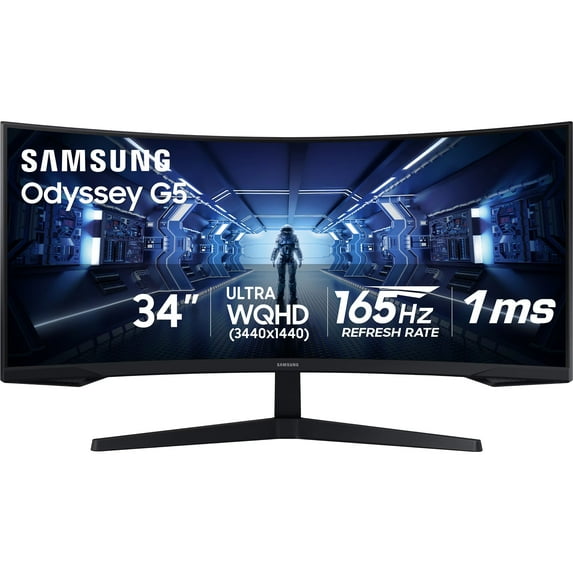
Samsung 34" Odyssey G55T Curved Gaming Monitor — WQHD, 165Hz
$279 at Walmart
A huge curved ultrawide with WQHD resolution and 165Hz. Immersive for racing and open-world games, and wide enough to replace a two-monitor desk setup.
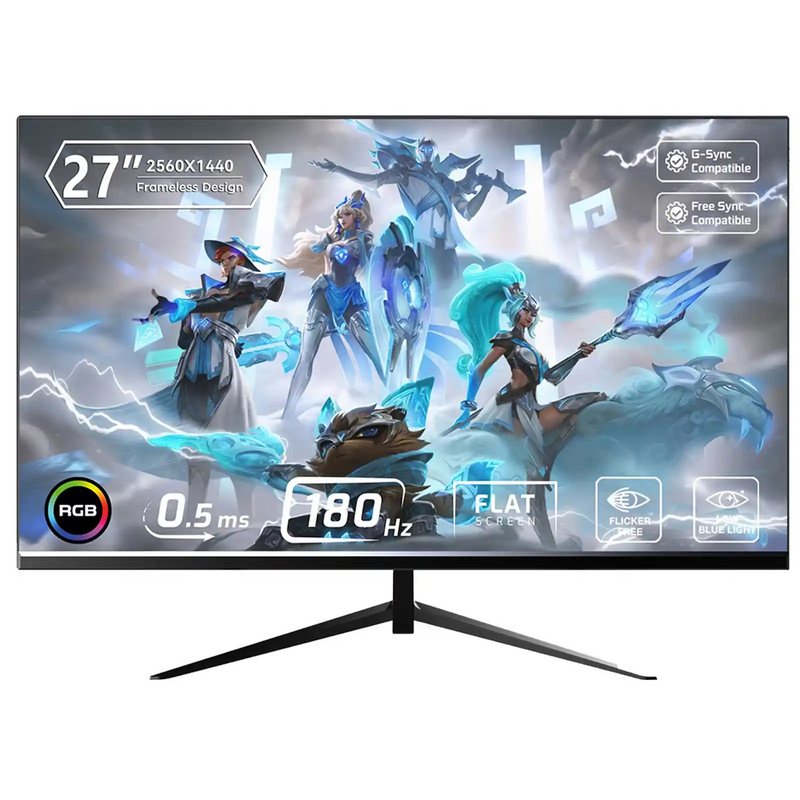
Gaming Monitor 27in QHD 165Hz — 1ms, HDR
See the latest checked price →
The sweet-spot size for competitive play: 27 inches, QHD, 1ms response. Temu is slightly cheaper with shipping included.
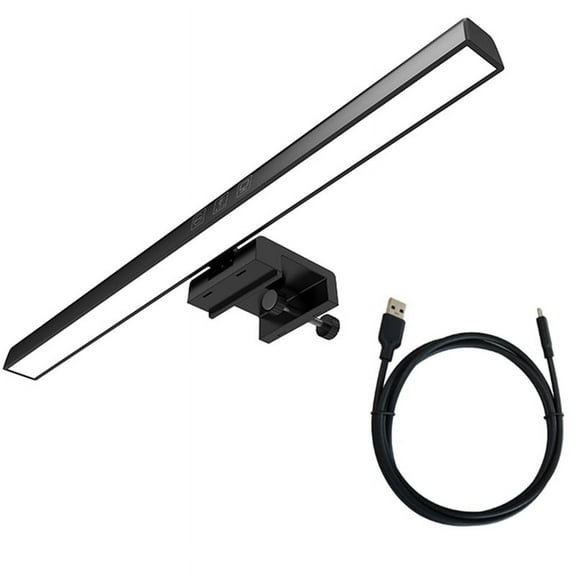
Monitor Light Bar — USB Powered, No Screen Glare
See the latest checked price →
The desk upgrade nobody regrets: lights your desk without reflecting on the screen, and it is much cheaper on Temu.
Who this guide is for
This guide is for PC gamers who feel their current screen is holding them back: competitive players who want smoother motion in fast shooters, racing and open-world fans who want a wider view, and console players whose PS5 or Xbox Series X can do far more than an old 60Hz TV shows. It is also for anyone building a first proper desk setup.
A monitor is the part of the setup you look at for every minute of every session, so it is the upgrade that pays you back the longest. If you mostly play slow, story-driven games on a TV from the couch, a high-refresh monitor matters less; if you play at a desk, it is usually the first upgrade worth making.
Every monitor below is one we track across Amazon, Walmart and Temu, and each product page shows the latest checked totals with shipping included, so the store comparison is honest before you spend anything.
How to choose a gaming monitor
Refresh rate first. The jump from 60Hz to 144Hz or 165Hz is the difference you feel most: motion looks smoother and aiming feels more connected. A higher refresh rate only helps if your graphics card or console can actually produce the frames, so match the monitor to the hardware you own today, not the hardware you dream about.
Resolution and size together. At 27 inches, QHD (1440p) is the sweet spot: clearly sharper than 1080p without demanding a flagship graphics card the way 4K does. At 34 inches, an ultrawide WQHD panel spreads that same height across a much wider screen, which is wonderful for immersion and desk work, although some older games and most streaming video do not fill the extra width.
Response time and panel. A 1ms response rating helps keep fast motion clean instead of smeared. Curved panels wrap the picture slightly around your field of view; some players love the immersion, others prefer flat for competitive play and design work.
The practical checks. Look for an adjustable stand, because height and tilt save your neck over long sessions, the ports your devices need, and a warranty you can actually use. Then compare the shipping-included total at each store: on monitors, the same model can carry very different totals once delivery is counted.
One last thing. A monitor usually stays on your desk for five years or more. Spread over that life, the model that fits your games and your posture is worth more than the absolute cheapest panel on the page.
The monitors we track: honest pros and cons
Samsung 34" Odyssey G55T Curved Gaming Monitor, WQHD, 165Hz
Pros: The 34-inch curved ultrawide fills your field of view in racing and open-world games, and the WQHD resolution with a 165Hz refresh keeps that big picture smooth. It is wide enough to replace a two-monitor desk setup for work as well as play, and it carries our rating of 4.4. Cons: It needs real desk space, the curve is a matter of taste, and some older games and video services will not use the full width.
In our tracking it is listed at Walmart only, so there is no second store total to compare against today.
Gaming Monitor 27in QHD 165Hz, 1ms, HDR, Adjustable Stand
Pros: The competitive sweet spot: 27 inches, QHD detail, 165Hz with a 1ms response, plus an adjustable stand that many monitors at this level skip. It holds the highest rating in this guide at 4.7, and it is listed at both Walmart and Temu, so the comparison on its product page is a real one. Cons: There is no big brand name behind it, so judge it on the specs, the store returns policy and the warranty rather than the badge.
HDR at this level is a small bonus, not the main event.
Monitor Light Bar, USB Powered, No Screen Glare
Pros: Not a monitor, but the desk upgrade that makes any monitor easier on your eyes: it lights your desk instead of the screen itself, so there is no glare, it runs from USB, and it frees up desk space compared with a lamp. It carries our rating of 4.6 and eases eye strain in late sessions. Cons: It lights your working area, not the whole room, and it is a comfort accessory rather than a performance upgrade, so buy it after the monitor itself is sorted.
Buying tips
- 165Hz only helps if your PC or console can push high frame rates — check your GPU before upgrading.
- Ultrawide (34-inch) is amazing for immersion; 27-inch QHD is better for fast competitive games.
- Budget for a decent stand or monitor arm — ergonomics matter in long sessions.
Frequently asked questions
Is 165Hz noticeably better than 60Hz?
Yes — most players feel the difference immediately in smoothness and responsiveness.
QHD or 4K for gaming?
QHD (1440p) is the sweet spot: sharp image without needing a flagship graphics card.
Do consoles use 165Hz?
PS5 and Xbox Series X top out at 120Hz, and both monitors here handle that easily.
What size monitor is best for a small desk?
A 27-inch monitor like the QHD model above fits most desks comfortably and still feels big at a normal viewing distance. A 34-inch ultrawide needs a deep desk and some clearance on both sides, so measure before you buy.
Can I use a gaming monitor for work too?
Yes. A high-refresh QHD screen is excellent for everyday work: text is sharp, scrolling is smooth, and an ultrawide replaces two smaller monitors for spreadsheets and documents. Just check the stand adjusts to a comfortable height for long days.
Why do store prices for the same monitor differ so much?
Stores run their own promotions on their own schedules, and shipping is not always included in the headline price. That is why every product page here compares the shipping-included totals we last checked at Walmart and Temu, next to a live price check on Amazon.
Prices checked Nov 6, 2026 and include shipping where shown — prices can change, so check the product page before buying. As an Amazon Associate, TriCart Deals earns from qualifying purchases.